Skip to Content

Everything you need to get a minimarket up and running in Odoo, without starting from scratch.

What it includes

  • Product catalog with categories, prices and initial stock
  • Point of Sale configured and ready to sell
  • Inventory and sales reports
  • Supplier receiving workflow

Why it is useful to you

This tool includes the complete functional setup — not just the catalog, but the system at work: real-time inventory control that warns you before you run out of stock, point of sale connected directly to inventory so every sale deducts automatically, a centralized catalog with prices, costs and stock, and merchandise receiving controlled by supplier.

Ideal for minimarkets, grocery stores and convenience stores that want to move from notebooks and spreadsheets to a real system, without months of implementation.

See what's inside

Five of the tool's sheets, just as you receive them. The data you see is sample data.

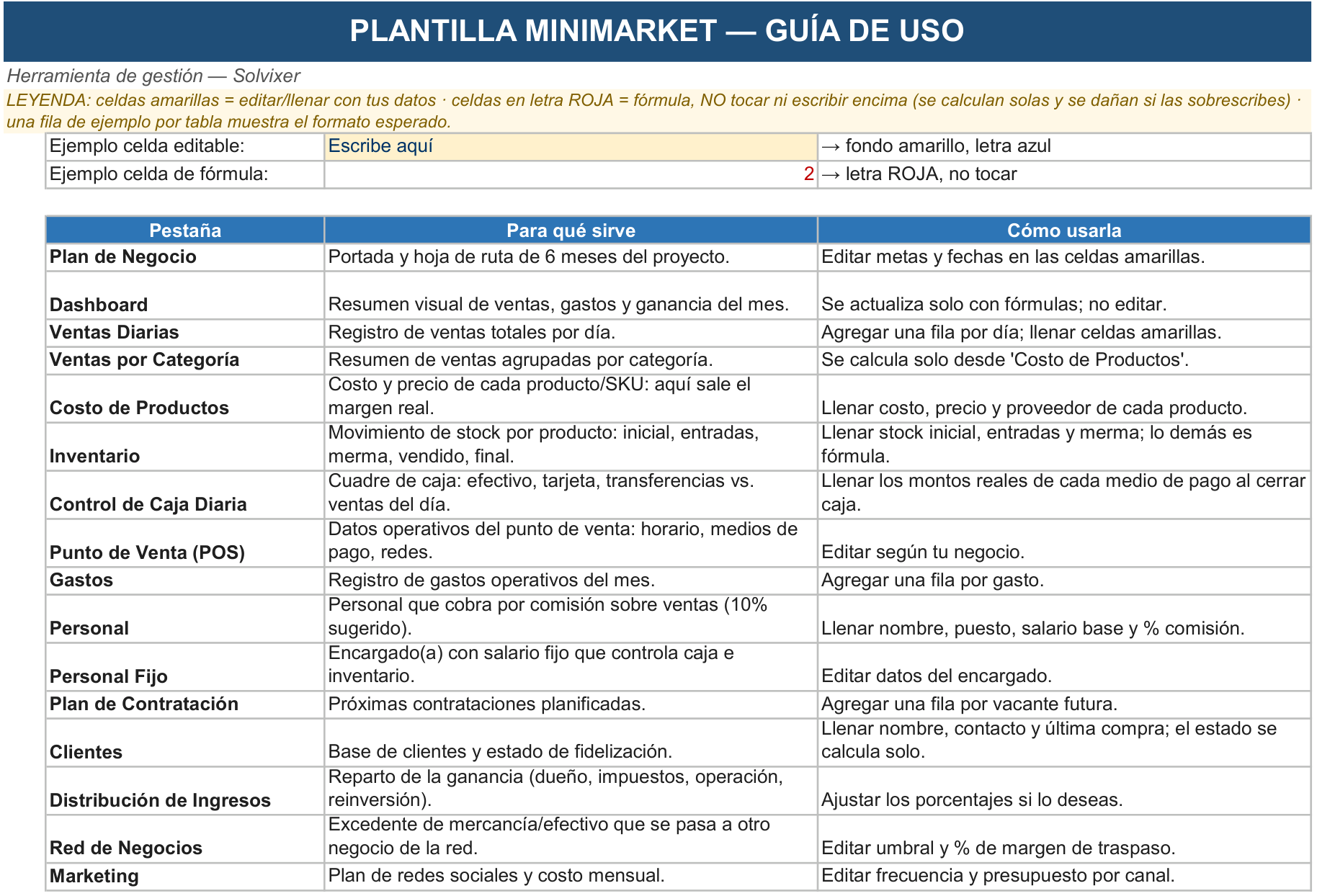
Usage guide

What each tab does and how to use it. The yellow cells are for your data; the red-letter ones are formulas: they calculate themselves and must not be touched.

Usage guide sheet of the Management Tool Minimarket

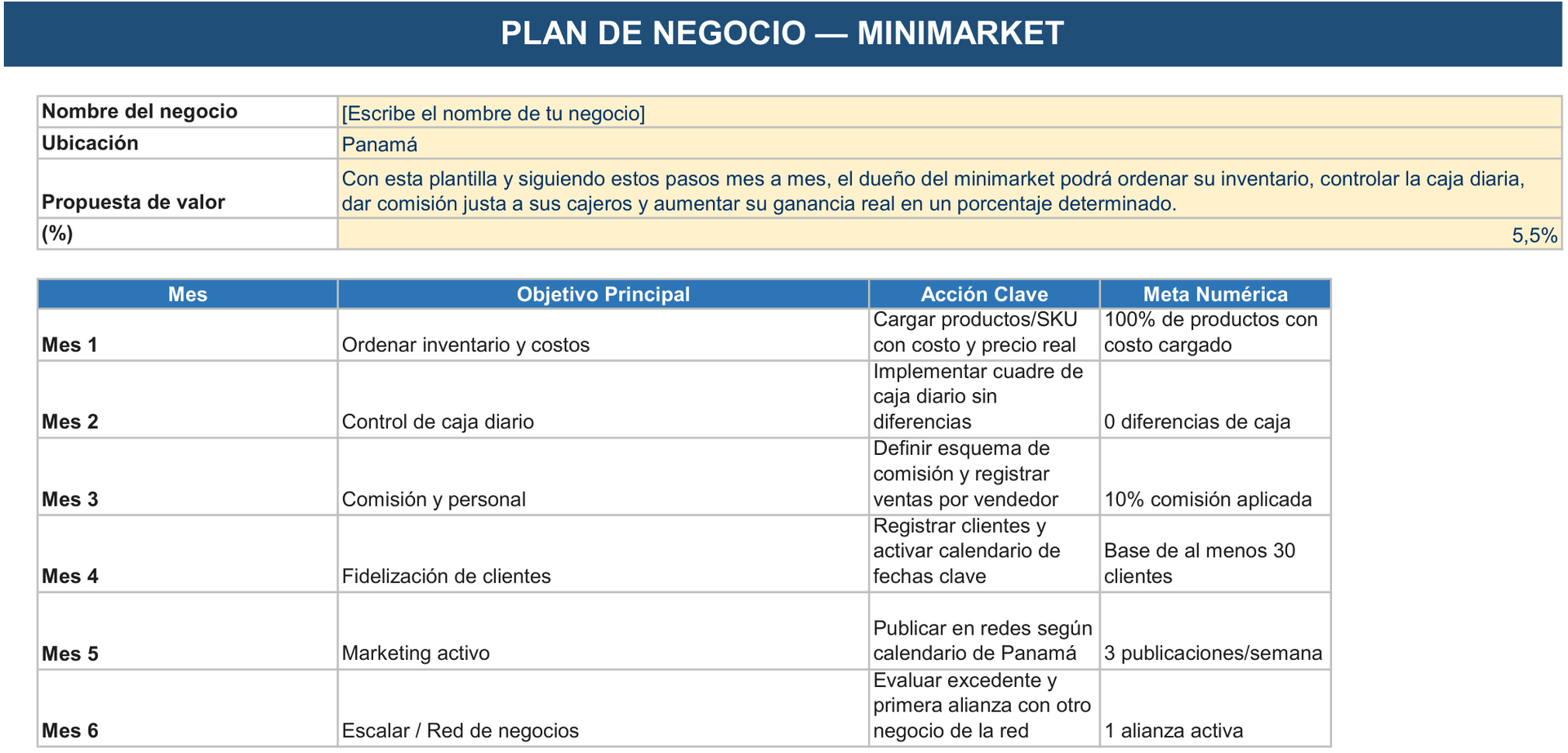
Business Plan

Cover page and 6-month project roadmap. Edit goals and dates in the yellow cells.

Business Plan sheet of the Management Tool Minimarket

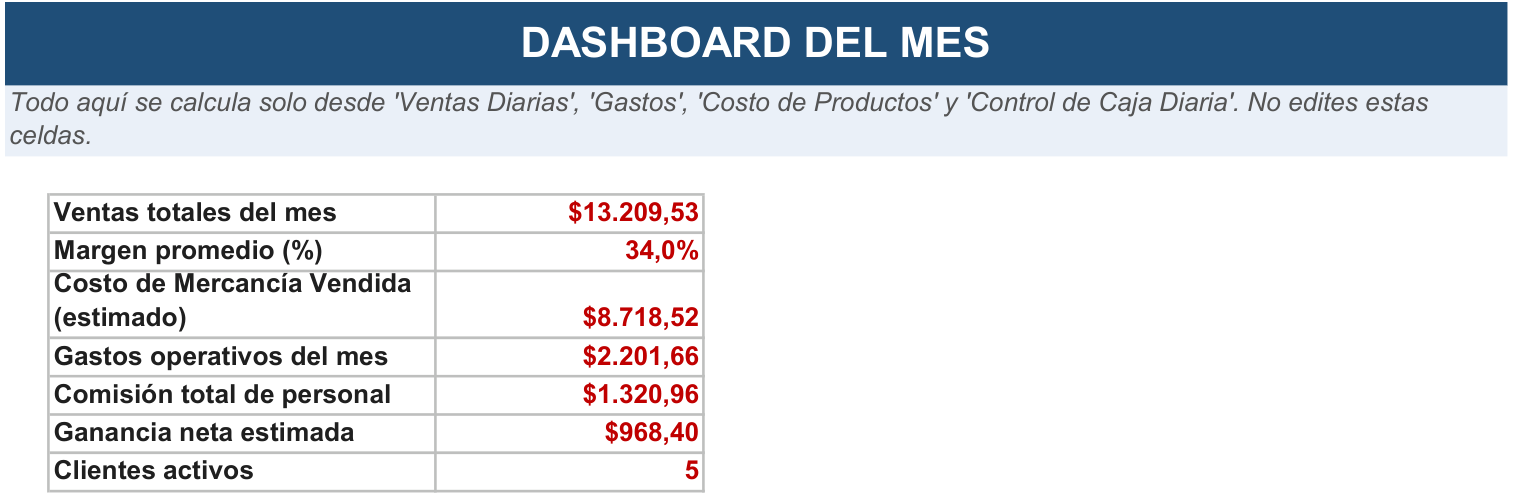
Monthly Dashboard

Visual summary of sales, expenses and profit for the month. It updates automatically with formulas; do not edit.

Monthly Dashboard sheet of the Management Tool Minimarket

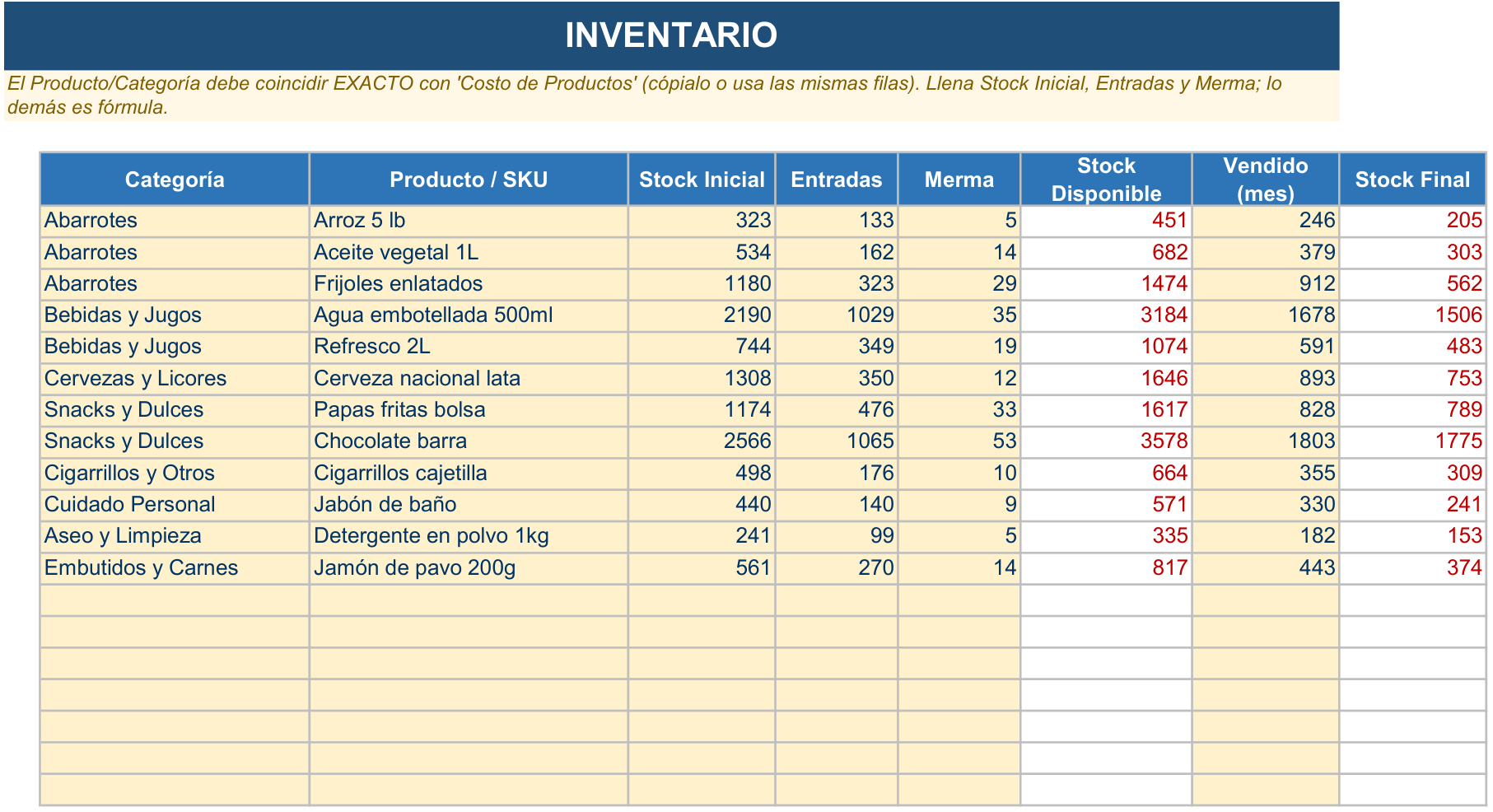
Inventory

Stock movement by product: opening, receipts, shrinkage, sold, closing. Fill in opening stock, receipts and shrinkage; the rest is formulas.

Inventory sheet of the Management Tool Minimarket

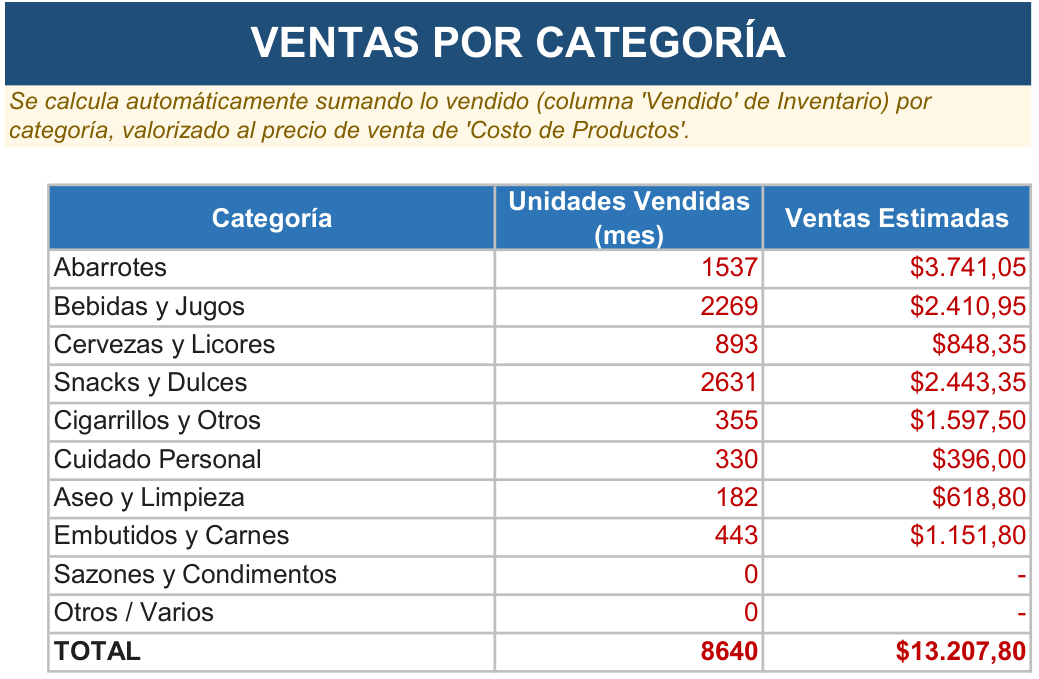
Sales by category

Summary of sales grouped by category. It is calculated automatically from 'Costo de Productos'.

Sales by category sheet of the Management Tool Minimarket